
Image Converter
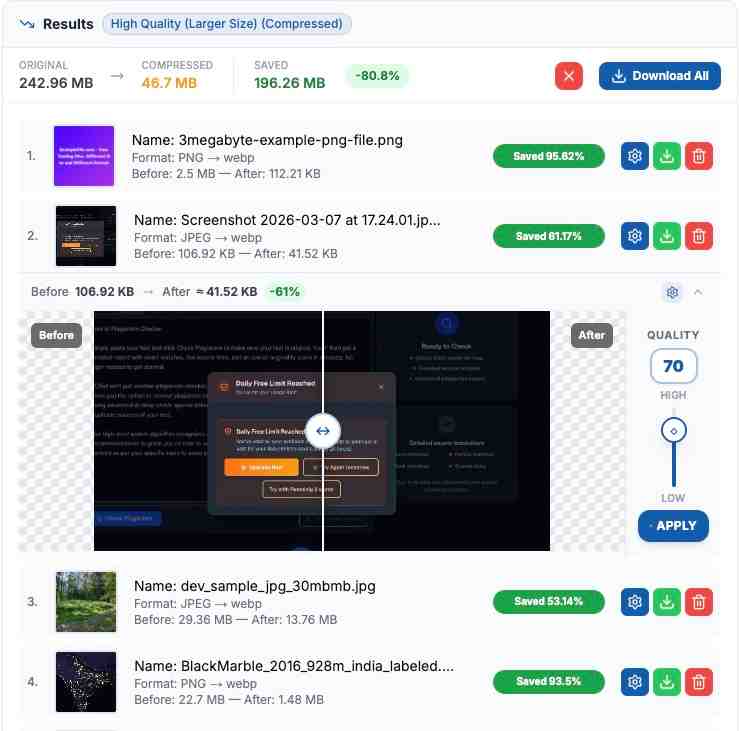
Image Converter is a free online tool that lets you convert images to JPEG, PNG, WebP, GIF, TIFF, ICO and AVIF formats instantly. All processing happens in your browser - your files never leave your device.
Choose your Files...
Convert Settings
Bulk Image Converter
Convert images between JPEG, PNG, WebP, GIF, TIFF, ICO, HEIC, AVIF, and SVG — all in your browser. Upload one image or hundreds, pick your output format, and download. The conversion runs on your device, so your files stay private and the process is fast.
Quick Methods
- Drag and drop files directly
- Select files from your system
- Copy and paste from clipboard (Ctrl+V / ⌘+V)
- Bulk upload support — up to 250 MB
Key Benefits & Features
Discover all the powerful features our image converter offers completely free
10 Image Formats Supported
Convert between JPEG, PNG, WebP, GIF, TIFF, ICO, HEIC, AVIF, and SVG. Any format to any format — pick what you need.
Bulk Conversion
Upload and convert hundreds of images at once. Up to 50 MB per file, 250 MB total per session. Download individually or as a ZIP.
Keep or Remove Metadata
Choose whether to preserve EXIF data (camera settings, GPS location, date) or strip it for privacy. One checkbox controls it.
Free, Fast, and Secure
No signup or registration is required to use this tool. It's completely free and can be used as much as you want. We respect user privacy, making this tool highly secure. Your files are immediately deleted once you download them, refresh the page, or close the browser.
100% Free Service
All these powerful image conversion features are completely free to use!
How It Works — The Technology Behind It
Most image converters upload your files to a remote server, process them there, and send them back. We do things differently. Here's what actually happens when you convert an image on this site:
Everything runs in your browser
We use the HTML5 Canvas API and Web Workers to process images directly on your device. Your files never get uploaded to any server — the conversion happens right where you are.
Specialized decoders for tricky formats
HEIC files (the default format on iPhones) are decoded using a specialized JavaScript decoder called heic2any. TIFF encoding is handled by a dedicated codec (UTIF.js). These run entirely in the browser too.
GIF encoding runs in a separate thread
Creating GIF files can be CPU-intensive, so we offload that work to a separate Web Worker thread. This keeps the page responsive while your GIF is being generated.
Your privacy is built into the design
The site uses HTTPS/SSL encryption for everything. There's no registration, no data collection, and no cookies tracking your image data. Since your files never leave your device, there's nothing for us to store or leak.
Why Our Image Converter Stands Out
- High-Quality Image Converter: Our image converter preserves image quality during conversion. Whether you are converting PNG to JPEG, HEIC to PNG, or WebP to GIF, the output stays sharp and clear. We use the HTML5 Canvas API to handle the pixel data directly, so there is no unnecessary quality loss during the process. Need to compress JPEG images as well? Use our main compressor for maximum file size reduction.
- Bulk Image Converter: Need to convert multiple images at once? Our bulk image converter lets you upload and convert many files in a single request. You can process up to 250 MB of images at a time, with each file up to 50 MB. Once done, download them all as a ZIP or one by one. This is great for photographers, designers, and anyone working with large batches of images.
- Convert Images to Multiple Formats: Whether you need to convert images to JPG, PNG, WebP, GIF, AVIF, TIFF, or ICO — we support them all. You can also convert from HEIC (the default iPhone format) and SVG. This makes our tool useful for web developers, social media managers, and anyone who needs their images in a specific format. Not sure which format to use? Read our JPEG vs WebP comparison.
- Free, No Signup, No Limits: This image converter is completely free to use. There is no signup, no registration, and no hidden costs. Just open the page and start converting. You can use it as many times as you want, with no daily limits. We built this tool to be useful, not to collect your email address.
- Your Files Stay on Your Device: Unlike most online image converters that upload your files to a remote server, our tool processes everything right in your browser. Your images never get sent anywhere. Once you close the tab, all data is gone. This makes it one of the most private and secure image converters available online. The site uses HTTPS encryption, and we do not use cookies to track your image data.
Steps to Use Our Image Converter Tool
Follow these simple steps to convert your images
1. Upload Your Images
Upload images by selecting files, pasting from the clipboard, or drag and drop.
2. Choose Format & Convert
After uploading, choose the file format (JPEG, PNG, WebP, etc.) then click convert images.
3. Download Your Files
Once the conversion is complete, download your files either individually or as a ZIP archive.
More Free Tools
Need to do more with your files? Try our other tools — all free, all browser-based.
Frequently Asked Questions
Everything you need to know about our image conversion service