
JPEG Compressor
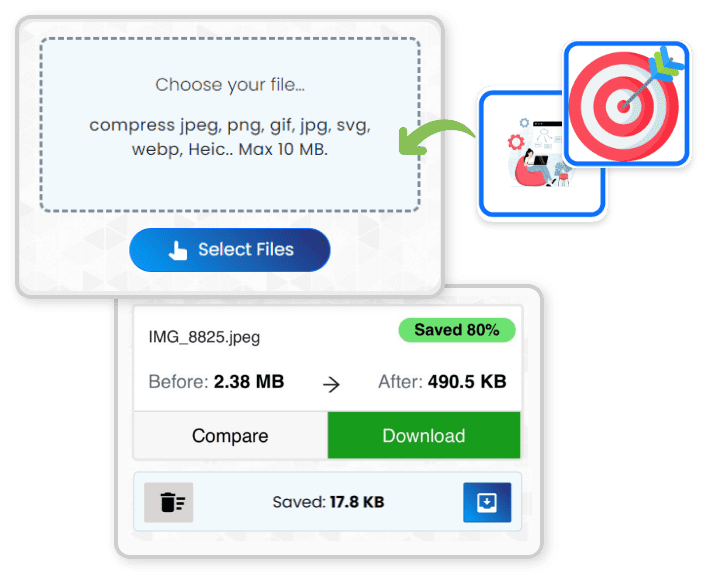
JPEG compressor is a free online image optimization tool that can compress JPEG, PNG, JPG, WebP, and HEIC images.
Choose your Files...
Compression Settings
Why Compress JPEG File Size?
Unoptimized images account for 50 to 70 percent of a typical webpage's total weight. Heavy photos slow down Largest Contentful Paint (LCP), increase Interaction to Next Paint (INP) delays, and push your Cumulative Layout Shift (CLS) past acceptable thresholds. The result: visitors leave, bounce rates spike, and Google ranks faster competitors above you.
Google PageSpeed Insights, Lighthouse, and GTmetrix all flag oversized images as a top performance bottleneck. Whether you host on Cloudflare Pages, Vercel, AWS S3, or a traditional WordPress server, reducing image payload is the single highest-impact optimization for Core Web Vitals compliance.
Page Speed
Pass Core Web Vitals audits and improve LCP below the 2.5-second threshold
Bandwidth Savings
Cut CDN and cloud hosting costs by delivering 60-90% smaller image payloads
Easier Sharing
Meet email attachment limits, social media upload caps, and messaging app restrictions
Batch Photo Optimizer: Free, Unlimited, Private
Process unlimited images in a single batch, up to 250 MB at once. Every file is analyzed individually and compressed using the HTML5 Canvas API for fast encoding and MozJPEG (developed by Mozilla) for advanced lossy optimization. Both engines run entirely in your browser via WebAssembly, so your photos never leave your device. Original dimensions and color fidelity stay intact while file size drops by 60 to 90 percent.
No sign-up, no account, no daily caps. Upload from your device, Google Drive, Dropbox, clipboard, or any URL. Works on Chrome, Safari, Firefox, and Edge, including mobile browsers on iPhone 15, Samsung Galaxy, and Google Pixel.
Supported Image Formats
JPEG • PNG • JPG • WebP • HEIC • GIF
iPhone and Samsung HEIC/HEIF photos convert automatically. PNG files use smart color quantization for smaller output without losing alpha transparency.
Features No Other JPEG Optimizer Offers
Most online image compressors give you a single quality setting and a download button. This tool goes further, offering precision controls, real-time visual feedback, and format conversion that competing tools lack.

Two-Stage Encoding with Live Preview
First, pick a preset (High, Medium, or Low quality) and compress your entire batch in one click. Then open the inline comparison panel on any image. Drag the quality slider from 1 to 100 and watch the before-and-after result update in real time. When you hit Apply, the final output uses progressive JPEG encoding and chroma subsampling for 5-15% smaller files at the same visual fidelity. No other jpeg compressor gives you this level of control.

Compress to Exact Target Size
Need your image under 100 KB for an email attachment? Or under 200 KB for your WordPress, Squarespace, or Webflow site? Enter your target size in KB, MB, or as a percentage of the original, and the binary search algorithm finds the precise quality level to hit that target. No guessing, no repeated manual attempts.

100% Client-Side: Zero Server Uploads
All image processing happens locally in your browser using WebAssembly and the Canvas API. Files never touch a remote server. No cookies track your data, no registration is needed, and the tool works offline after the page loads. Compatible with Chrome, Safari, Firefox, and Edge on desktop and mobile.

Convert, Resize, and Rename in One Step
While compressing, convert between JPEG, PNG, and WebP formats. This is ideal for serving next-gen WebP to modern browsers. Resize images by setting custom width and height in pixels for responsive breakpoints. Rename output files with a prefix, suffix, or sequential numbering. All in a single workflow using our image format converter.
How Client-Side JPEG Encoding Works
Unlike server-based tools like TinyPNG or Squoosh, this compressor runs entirely on your machine. Here is the technical process behind every compression:
DCT Transform and Quantization
JPEG is a lossy format that converts RGB pixels to YCbCr color space, separating luminance (brightness) from chrominance (color). The image is divided into 8×8 pixel blocks, each processed through a Discrete Cosine Transform (DCT). This mathematical step identifies high-frequency visual data like fine textures, subtle gradients, and noise that the human eye cannot easily perceive. The quantization table then discards that imperceptible data based on your quality setting.
Key Fact: A typical photo from an iPhone 15 or Canon DSLR can be compressed by 60 to 80 percent without any visible quality loss. That means faster page loads, lower CDN costs, and images that still look sharp on retina displays.
Progressive JPEG and Chroma Subsampling
After quantization, the encoder applies Huffman entropy coding for lossless final compression. When you fine-tune individual images, the advanced encoder uses progressive JPEG scanning (rendering low-res first, then refining) and optimized chroma subsampling (4:2:0) to achieve 5-15% smaller files than standard baseline JPEG at identical visual quality. You can compress jpeg files with precise control over the quality-to-size ratio.
Guaranteed Smaller Output
When compressing in the same format (JPEG to JPEG, PNG to PNG), a progressive fallback system guarantees the output is always smaller than the input. If the initial compression at your chosen quality level does not reduce file size, the algorithm automatically steps down in quality until a reduction is achieved. You will never receive a larger file back when keeping the same format. Note: cross-format conversion (e.g., PNG to JPEG) may produce different size characteristics due to format differences between lossless and lossy encoding.
JPEG Quality Guide: Choose the Right Setting
Not sure what quality level to use? Here is a simple guide based on how you plan to use the image.
| Quality Level | Best For | Typical Reduction | Visual Quality |
|---|---|---|---|
| 90 - 100 | Professional photography, archiving, printing | 20-40% | Nearly identical to original |
| 75 - 89 | Websites, blogs, social media, email | 50-70% | Great quality, hard to tell the difference |
| 60 - 74 | Thumbnails, previews, fast-loading pages | 70-85% | Good quality, slight softness on zoom |
| Below 60 | Placeholders, low-bandwidth mobile users | 85%+ | Noticeable artifacts on close inspection |
Tip: Avoid saving a JPEG multiple times at low quality. Each save causes "generation loss" where quality degrades further. Always compress from the original file rather than re-compressing an already compressed version.
Typical Compression Results
iPhone / Smartphone Photo
4 MB → ~400 KB
90% reduction at quality 80
DSLR Camera Image
12 MB → ~800 KB
93% reduction at quality 85
Screenshot or Web Graphic
2 MB → ~300 KB
85% reduction at quality 75
Pro Tip: For web use, aim for images under 200 KB. Most photos can reach this size at quality 75 to 85 without any visible difference to the human eye. This is the sweet spot for balancing page speed and image clarity.
Who Uses This JPEG Compressor?
Anyone who works with images — whether for the web, client delivery, online stores, or everyday sharing.
Web Developers and Designers
Batch compress images before deployment to improve page speed and pass Core Web Vitals audits. Reduce LCP times without manually tuning each file.
Photographers and Creatives
Reduce high-resolution photos for client delivery without quality loss. Keep or strip EXIF metadata, and use the side-by-side comparison to find the exact size-to-quality balance you need.
E-commerce and Marketing Teams
Compress product images to under 200 KB so they load fast and still look sharp on any screen. Faster-loading product pages directly improve conversion rates.
Students and Everyday Users
Reduce image size for email attachments, form uploads, or document submissions. Use the target size feature to hit an exact KB limit in one step.
How to Compress JPEG in Three Steps
No technical knowledge needed. Upload, compress, and download. It takes less than 10 seconds for most images.
Step 1: Upload Your Images
Drag and drop files, select from your device, paste from clipboard, or import directly from Google Drive, Dropbox, or any URL. Supports JPEG, PNG, WebP, HEIC, and GIF. Upload up to 250 MB of images at once.
Step 2: Choose Settings and Compress
Pick High, Medium, or Low quality, or open Additional Options to set a target file size, resize dimensions, or convert formats. Hit "Compress Images" and watch the batch process in seconds. Every file shows a live progress bar and the exact percentage saved.
Step 3: Compare, Fine-Tune, and Download
Click the gear icon on any result to open the side-by-side comparison. Drag the quality slider and see the compressed version update live. When you are happy, hit Apply. Download files individually or grab everything as a ZIP. You can also rename files with a prefix, suffix, or sequential numbering before downloading.
Testimonials
What our users say about us
More Free Tools
Need to do more with your files? Try our other tools, all free, all browser-based.
Frequently Asked Questions
Everything you need to know about our image compression tool
Q. What is JPEG Compressor?
JPEG Compressor is a free online jpg compressor that reduces image file sizes without visible quality loss. It uses the HTML5 Canvas API for fast batch compression and MozJPEG, an advanced encoder developed by Mozilla, for maximum compression when fine-tuning individual images. Both engines run directly in your browser. Your photos never leave your device. There are no server uploads, no data collection, and no registration required.
It supports JPEG, PNG, WebP, HEIC, and GIF formats. You can compress a single image or batch process hundreds of files at once, up to 250 MB total.
Q. How is this different from TinyPNG or other compressors?
Most compressors upload your files to a remote server for processing. Our tool does everything in your browser, so your images never leave your device.
Beyond privacy, we offer features no other jpg compressor has: a live quality slider with real-time before-and-after preview, compress to exact file size (KB, MB, or percentage), image format converter during compression, custom resize, file renaming, and HEIC support for iPhone photos. All free, no limits.